

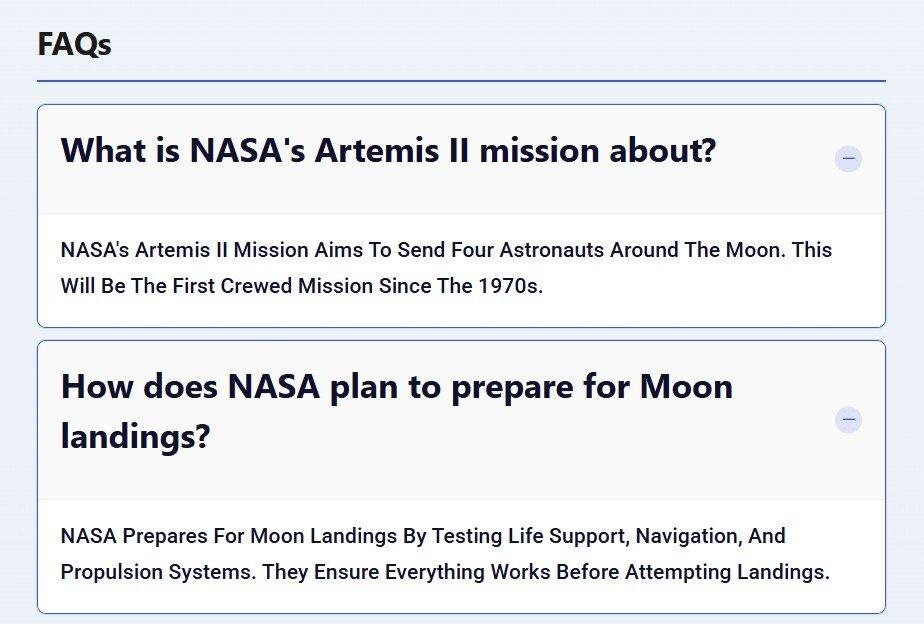


Automatically generate FAQ schema markup powered by AI. Get your WordPress posts featured in Google's rich results without writing a single line of code.
Download Free on WordPress.org
Why You Need This
Publishing great content is just the first step. To actually show up on Google's first page — and take up more space than your competitors — you need structured data.
FAQPage schema tells Google exactly what questions your content answers. When implemented correctly, your search result expands with Q&A snippets directly on the results page, increasing your click-through rate dramatically.
The problem? Setting this up manually is tedious, technical, and easy to get wrong.
That's where AI SEO FAQ Schema comes in.
Key Features
- AI-Powered FAQ Generation — Paste your content, click Generate, and let the AI write SEO-optimized questions and answers based on your article's topic and search intent.
- Real-Time Quality Scoring — Every FAQ set gets scored out of 100. The built-in analyzer checks for direct answers, keyword inclusion, answer length, and more — so you always know where you stand before you hit publish.
- Automatic JSON-LD Injection — No touching code. The plugin handles the schema markup and injects it cleanly into your page, exactly the way Google expects it.
- Gutenberg Native — Works seamlessly inside the WordPress block editor. Just type /faq to add the block anywhere in your post.
How It Works
Step 1: Install the plugin and go to Settings → AI SEO FAQ Schema. Enter your OpenAI API key and save. (optional)
Step 2: Open any post in the Gutenberg editor. Type /faq to insert the AI SEO FAQ Schema block.
Step 3: Click "Generate FAQ." The AI reads your content and produces a set of optimized questions and answers automatically. You can also write or paste your own FAQ manually if you prefer.
Step 4: Click "Analyze FAQ Quality" to see your score and improvement suggestions.
Step 5: Publish your post. Your FAQPage schema is now live and ready to be picked up by Google.
FAQ
Is this plugin free?
Yes. The plugin itself is completely free to download and use. You will need your own OpenAI API key, which is billed separately by OpenAI based on usage. For most bloggers, the cost is minimal.
Do I need coding skills?
None at all. Everything is handled through the block editor with simple clicks.
Which OpenAI model does it use?
The plugin is set to use gpt-4o-mini by default, which offers the best balance of quality and cost for this use case.
Does it work with any WordPress theme?
Yes. The schema is injected into the page head and is completely independent of your theme or design.
Will this guarantee a rich result on Google?
The plugin generates valid FAQPage schema that meets Google's guidelines. Whether Google chooses to display it as a rich result depends on Google's own algorithms, but having correct schema significantly increases your chances.
Get Started for Free
Download AI SEO FAQ Schema on WordPress.org and start showing up bigger on Google today.